How HTML5 Canvas Powers Underwater Games
Every wave, bubble and submarine on this site is a few dozen lines of drawing instructions. Here is how that works.
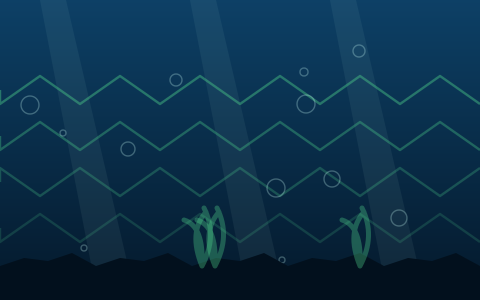
Every wave, bubble, submarine and fish on this site is a few dozen lines of drawing instructions, re-issued sixty times a second. There are no image files anywhere in the games.
This article explains how that works — what the canvas element actually is, how an underwater scene is built from primitives, and why drawing is often better than downloading for this kind of art. No programming experience assumed.
What the canvas element is
A canvas is a rectangle of pixels that JavaScript can draw into. That is genuinely all it is.
Unlike the rest of a web page, a canvas has no structure. There are no elements inside it, nothing to inspect, nothing the browser understands as content. You get a drawing surface and a set of commands — fill a rectangle, stroke a line, draw an arc, apply a gradient — and whatever you draw is just pixels afterwards.
That is both the strength and the cost. The strength is speed and complete control. The cost is that the browser cannot help you: nothing inside a canvas can be selected, zoomed, read by a screen reader, or styled with CSS. Which is precisely why the score bars and start panels on this site are regular HTML sitting above the canvas rather than drawn inside it.
MDN's Canvas API documentation, linked at the foot of this page, is the reference if you want to go further than this article does.
Building an ocean from three shapes
An underwater scene looks complicated and is not. Three techniques do almost all of it.
A vertical gradient
The water itself is one linear gradient from a lighter blue at the top to near-black at the bottom, filled across the whole canvas. One command, and it is the single most important visual element in the game.
Making it darken with depth is a matter of shifting the gradient's colour stops as the player descends — which is why the water in Deep Sea Diver visibly deepens as you go, with no additional artwork involved.
Light shafts
Three or four four-sided shapes, wider at the bottom than the top, filled with a very low-opacity near-white and slowly drifting sideways. That is it.
At 6–7% opacity they read convincingly as sunlight penetrating water, and they cost almost nothing because a filled polygon is one of the cheapest things a canvas can draw.
Drifting particles
A few dozen small circles with random positions, sizes and opacities, moving slowly upward and recycled to the bottom when they leave the top.
Particles do a disproportionate amount of work in selling underwater as a setting, because suspended particulate is something everyone associates with water without consciously noticing it. They are also the cheapest possible effect — a filled arc each.
Gradient, shafts, particles. That is an ocean, in about forty lines.
Building creatures from primitives
The same approach scales up to the objects. A stylised fish is:
- An ellipse for the body.
- A triangle for the tail, offset behind it.
- A white circle for the eye, with a smaller dark circle inside.
Four shapes. Add a sine wave to the tail's vertical offset over time and it swims.
A submarine is an ellipse, a rounded rectangle for the conning tower, a circle with a stroke for the viewport, and a triangle for the rear fin. A jellyfish is a half-circle for the bell and three or four curved lines beneath it, offset by a sine wave so they trail.
The economy here is what makes the approach viable. Drawing a dozen shapes is trivial work for a browser; drawing a few hundred per frame — which is what a full scene with a dozen objects amounts to — is still comfortable at sixty frames per second.
Transforms: the thing that makes it manageable
One technique is worth explaining because without it the code would be unmaintainable.
Rather than calculating where every part of a fish is on screen, you move the canvas: shift its origin to where the fish should be, rotate it to the fish's angle, then draw the fish as though it were at position zero facing right. Afterwards you restore the previous state.
This means every creature is drawn once, in its own coordinate space, and can then be placed anywhere at any angle without changing a single number in its drawing code. Mirroring a fish to face left is a matter of scaling the horizontal axis by −1 before drawing.
It is the difference between a drawing routine you can write and one you cannot.
Redrawing everything, every frame
A canvas has no memory of what you drew. There are no objects on it — once drawn, a shape is just pixels, and moving it means clearing the canvas and drawing everything again in new positions.
So the render loop is: clear, draw the background, draw every object, draw the effects. Sixty times a second. It sounds wasteful and is the standard approach for a reason — partial redraw is substantially more complex and rarely faster at this scale.
The loop is scheduled with requestAnimationFrame, which fires just before the display
refreshes and — usefully — stops entirely when the tab is hidden. That is why these games pause when
you switch tabs: the loop genuinely stops.
Why canvas games sometimes look blurry
A canvas has two sizes, and confusing them is the most common canvas bug on the web.
Its CSS size is how large it appears on the page. Its internal buffer is how many pixels it actually contains. If you set the CSS size and leave the buffer at its default, on a high-density display you get a low-resolution image stretched to fit — which looks soft.
The fix is to set the buffer to the CSS size multiplied by the device pixel ratio, then scale the drawing context by the same factor so your drawing code can carry on using CSS-pixel coordinates.
The games here cap that ratio at 2. On modern phones it can be 3 or more, and pixel count scales with its square — a 3× buffer is nine times the pixels of a 1× one. On flat vector art the visible difference between 2× and 3× is negligible and the performance difference is not.
Why draw instead of download?
For flat vector art, drawing wins on almost every axis.
Nothing to transfer. A whole game page here is a few hundred kilobytes with no image downloads at all.
Nothing to decode. Image decoding is real work on a busy main thread, particularly on a phone.
Sharp at any resolution. No need to ship multiple asset sizes.
Colours are parameters. The water darkening with depth, a hazard flashing during invulnerability frames, a meter changing colour — all are variables in a drawing call rather than separate images.
Nothing to license. Shapes drawn from primitives are original by construction. No stock assets, no attribution, no rights questions.
The cost is per-frame CPU, and for this style of art it is a trade worth making every time. It would not be for detailed illustrated or photographic art — at which point sprites are the right answer.
Trying it yourself
The barrier here is unusually low, which is worth mentioning.
You need a text file with a canvas element and a script tag. No build tools, no framework, no installation, no account. Open it in a browser and it runs. Make a change, reload, see the change.
The JavaScript for every game on this site is served unminified from this domain and readable in any browser's developer tools. That is partly a transparency decision — it is what lets the guides here quote exact spawn rates and multiplier caps — and partly because there is no good reason to hide it.
Key takeaways
- A canvas is a rectangle of pixels with no internal structure — fast, and invisible to assistive technology.
- An ocean scene is a vertical gradient, a few low-opacity light shafts, and drifting particles.
- Creatures are four to ten primitives each, animated with sine waves.
- Canvas transforms let each object be drawn in its own coordinate space and placed anywhere.
- Everything is cleared and redrawn every frame; the loop stops when the tab is hidden.
- Scale the pixel buffer by device pixel ratio — capped at 2 — or the result looks blurry.
- For flat vector art, drawing beats downloading on transfer, decode, sharpness and licensing.
Frequently asked questions
What is the HTML5 canvas?
An element that gives JavaScript a rectangle of pixels to draw into, with commands for shapes, lines, text and gradients. It has no internal structure, so anything drawn into it is just pixels — fast to render, but invisible to screen readers and unaffected by CSS.
Are the graphics in these games images or code?
Code. Every submarine, fish, bubble and coral is a sequence of drawing instructions issued fresh each frame. There are no image files in the games at all, which is why the pages load in about a second.
Why do some canvas games look blurry on a phone?
Because the canvas's internal pixel buffer has not been scaled to the device pixel ratio, so a lower-resolution image is being stretched to fit. Scaling the buffer fixes it, although most games cap the ratio at 2 since 3× contains nine times the pixels of 1×.
Is drawing everything every frame wasteful?
It sounds like it and is the standard approach. A canvas has no memory of what was drawn, so partial redraw requires tracking damaged regions — substantially more complex and rarely faster at the scale these games operate at.
Can I see the code for these games?
Yes. The JavaScript is served unminified from this domain and readable in any browser's developer tools. That transparency is also what lets the guides on this site quote exact spawn intervals and multiplier caps rather than estimates.
Do I need a game engine to build something like this?
No. A text file with a canvas element and a script tag is enough — no build tools, no framework and no installation. None of the games on this site use a third-party library.
Where to go next
For the layer above the drawing — physics, collisions, spawning and scoring — how underwater arcade games work. For the performance consequences, why underwater browser games run well on old devices.
And to see the result, the game library has eight of them.
References
- Canvas API — MDN Web Docs
- Window: devicePixelRatio property — MDN Web Docs
- Window: requestAnimationFrame() method — MDN Web Docs
Links open on the publisher's own site. Factual claims about real oceans, depths and marine life on this page are attributed to these sources; game mechanics described on this page come from the game code on this site.