Mobile Underwater Gaming Guide: Playing Well on a Phone
Which games actually work one-handed, when to rotate, and the settings that stop a phone throttling mid-run.

Browser games have a long history of claiming mobile support and meaning "it loads". The games on this site are built the other way round — touch is a designed control scheme rather than a fallback, and several of them are genuinely better on a phone than on a desktop.
This guide covers which games suit small screens, how to hold the device, when to rotate, what to do about performance, and the few places where a phone is genuinely at a disadvantage.
Which games work best on a phone
Not all eight are equal on a small screen. Ranked by how well they hold up:
Excellent — play these on a phone by preference
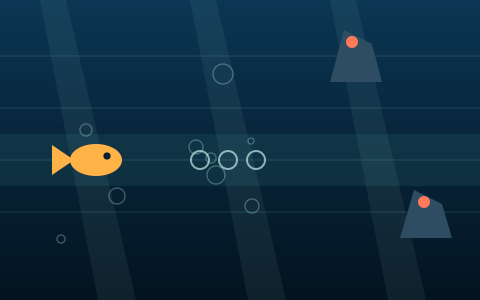
- Underwater Obstacle Run — four lanes, tap above or below your fish, nothing else. Comfortable one-handed in portrait, and the only game here that truly is.
- Deep Sea Explorer — drag-to-steer suits a thumb better than it suits a keyboard. The open playfield means nothing scrolls toward you at speed.
- Ocean Rescue Challenge — slow, calm, drag-based, and the sonar cues work at any screen size.
Good — best in landscape
- Ocean Treasure Hunt — drag-to-steer works well; the vertical camera means portrait is genuinely viable here too.
- Marine Match Challenge — fine on the smaller boards. The 6×4 board gets cramped on a phone under about 5.5 inches.
- Deep Sea Diver — drag left and right, drag below the diver to kick. Portrait actually suits the vertical descent.
Demanding — landscape strongly recommended
- Submarine Adventure — you need to see the canyon arriving from the right, and a narrow screen gives you less warning. This is a real disadvantage, not a preference.
- Underwater Reflex — playable and fun, but your thumb covers part of the stage, which occasionally hides a target.
When to rotate
The rule is simple: rotate for anything that scrolls horizontally.
In Submarine Adventure and Underwater Obstacle Run, the playfield arrives from the right edge, and how much warning you get is a direct function of stage width. Landscape gives you roughly twice the warning that portrait does, which at high speed tiers is the difference between reading the terrain and reacting to it.
Everything else is fine in portrait. Deep Sea Diver and Ocean Treasure Hunt are vertical games and lose nothing; the free-movement games simply give you a taller, narrower arena, which changes the feel without changing the difficulty.
Rotating mid-run is safe. The canvas re-sizes, the game state is preserved and play continues — the resize is debounced so a slow rotation animation does not cause a stutter.
Grip and thumb position
Three practical things that measurably help:
Keep your thumb off the playfield between actions. In tap-based games, resting your thumb on the stage hides part of it. In Underwater Reflex a target can and will spawn underneath your own hand. Rest at the bottom edge and reach in.
Use the D-pad if you prefer fixed directions. Every game shows an on-screen D-pad below the stage on touch devices. In the drag-to-steer games it is usually worse than dragging; in Submarine Adventure and Deep Sea Diver, where you want sustained, repeatable input, some players prefer it.
Two thumbs beat one everywhere except Underwater Obstacle Run. Landscape, device supported by your fingers, thumbs free — it is worth the small awkwardness.
Use full screen
The Full screen button under every stage is more useful on a phone than on a desktop. It removes the browser's address bar and toolbars, which on a modern phone is a meaningful fraction of the vertical space, and it stops an accidental upward swipe from pulling the browser chrome back in mid-run.
Press Escape or swipe down to exit. The game pauses if the page becomes hidden during the transition, so you will not lose a run to it.
Performance and battery
These games are light by construction: no downloaded assets, no physics engine, no third-party libraries, and everything drawn as vector shapes onto a single canvas. A phone from several years ago will run them at full frame rate.
When they do stutter, it is almost always one of three things.
Other tabs. Canvas rendering shares the main thread with everything else the browser is doing. A dozen open tabs, especially ones running their own scripts, will show up as frame drops. Close them.
Thermal throttling. Phones reduce clock speed when warm. If performance degrades after ten minutes of play rather than immediately, that is what is happening — and it is worth knowing that charging while playing makes it worse, because the battery generates heat of its own.
Low power mode. iOS Low Power Mode and Android battery saver both cap frame rates, typically to 30fps. The games remain playable but feel noticeably less responsive, which matters most in Underwater Reflex.
On battery drain generally: a canvas game redrawing sixty times a second is more demanding than reading an article and much less demanding than streaming video. A twenty-minute session is unlikely to be noticeable.
Data usage and offline play
The first load of a game page pulls the HTML, three small stylesheets, the shared scripts and one game file — a few hundred kilobytes in total, with no images beyond lightweight vector graphics. After that, the browser caches most of it, so returning to the same game later costs almost nothing.
Offline play is unreliable rather than impossible. If a page is still in your browser's HTTP cache it may load without a connection, but there is no service worker guaranteeing it. There is a fuller answer in can you play underwater browser games offline?.
Where your phone scores live
On the phone, in that browser, and nowhere else. Scores set on your phone will not appear on your laptop, and scores set in Chrome will not appear in Safari on the same device — each browser has its own storage.
Two mobile-specific things worth knowing. Private and incognito tabs usually discard everything when the last one closes, so a record set there is gone. And some mobile browsers clear site data more aggressively than desktop ones when storage runs low, which means a long-untouched record can vanish without you doing anything.
Common mobile problems
Dragging scrolls the page instead of steering. The drag has to start inside the dark stage rectangle. The stage disables browser scroll gestures; the article around it does not.
The game feels like it is ignoring taps. Most likely you are tapping during the switch cooldown in Underwater Obstacle Run — there is a 0.16-second minimum between lane changes, so rapid double-taps register as one move.
The address bar keeps appearing. Use full screen. Mobile browsers show and hide chrome based on scroll gestures, and an upward drag near the top of the screen can trigger it.
The stage looks blurry. The canvas is sized to your device pixel ratio, capped at 2×. On a very high-density display this is a deliberate trade: 3× rendering costs a lot of performance for a difference almost nobody can see on flat vector art.
Key takeaways
- Underwater Obstacle Run is the best one-handed portrait game on the site.
- Rotate to landscape for anything that scrolls horizontally — it doubles your warning.
- Keep your thumb off the playfield between taps; targets spawn anywhere.
- Use the full-screen button. On a phone it is worth real vertical space.
- Stutter is usually other tabs, thermal throttling or low power mode — not the game.
- Scores are per browser and per device, and mobile browsers clear storage more readily.
Frequently asked questions
Do I need to install an app to play on mobile?
No. Every game runs in the mobile browser exactly as it does on desktop. There is no app, no app store listing and nothing to install.
Which underwater game is best one-handed?
Underwater Obstacle Run. It needs only taps above or below your character, works in portrait, and has no continuous steering. Marine Match Challenge is a reasonable second on the smaller boards.
Will rotating my phone mid-game lose my progress?
No. The canvas re-sizes and play continues with your score and state intact. The resize is debounced so the rotation animation itself does not cause a stutter.
Why does the game slow down after ten minutes?
Almost certainly thermal throttling — phones reduce clock speed as they warm up. Charging while playing makes it worse. Closing other tabs and turning off battery saver both help.
Do these games use much mobile data?
Very little. A first load is a few hundred kilobytes with no image or video downloads, and subsequent visits are largely served from your browser cache. The games make no network requests while running.
Can I keep my scores when I switch phone?
No. Scores live in the browser's local storage on that specific device and are never uploaded, so there is no export or transfer. Switching device or browser means starting fresh.
Where to go next
For the input comparison in more detail, the controls guide lists every gesture in every game and says which scheme wins where. For recommendations specifically aimed at phone players, read best underwater games for mobile, and for why these run well on modest hardware, why underwater browser games run well on old devices.
References
- Window: devicePixelRatio property — MDN Web Docs
- Web Vitals — Google web.dev
Links open on the publisher's own site. Factual claims about real oceans, depths and marine life on this page are attributed to these sources; game mechanics described on this page come from the game code on this site.